Minecraft modpacks allow players to combine multiple mods into a single customized experience. Whether you want better graphics, new biomes, advanced technology, magic systems, or challenging survival gameplay, creating your own modpack gives you complete control over your Minecraft world.
Many popular modpacks started as personal projects before becoming favorites among millions of players. The good news is that creating your own modpack is easier than ever in 2026.
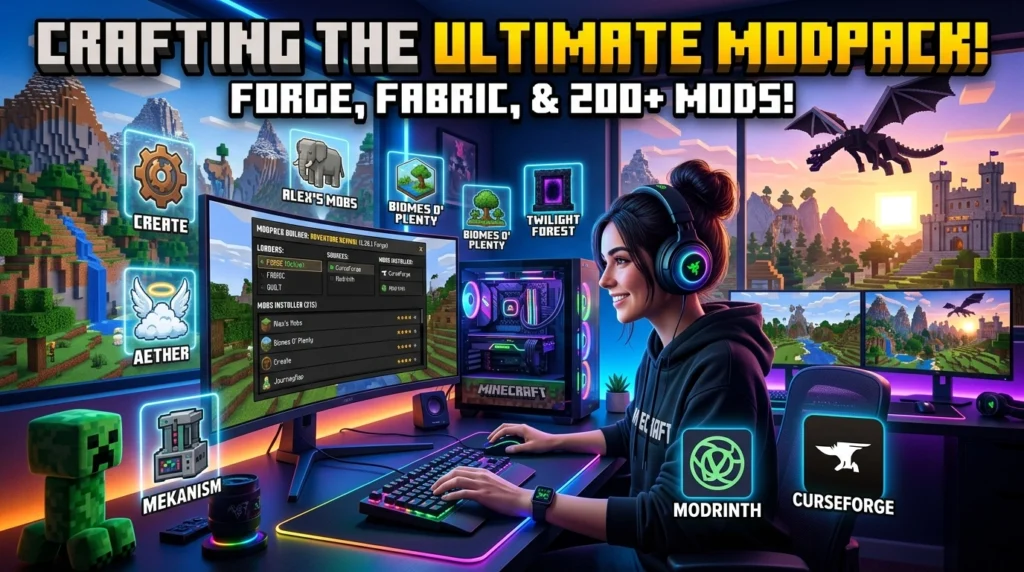
What Is a Minecraft Modpack?
A Minecraft modpack is a collection of multiple mods bundled together to create a unique gameplay experience.
Instead of installing mods individually every time, a modpack combines everything into one package that players can easily install and enjoy.
Popular examples include:
- Technology Modpacks
- Magic Modpacks
- Adventure Modpacks
- Survival Modpacks
- RPG Modpacks
- Skyblock Modpacks
Step 1: Decide the Purpose of Your Modpack
Before downloading any mods, decide what type of experience you want to create.
Ask yourself:
- Do you want advanced technology?
- Do you prefer magic systems?
- Are you creating a survival challenge?
- Do you want better exploration?
- Are you targeting multiplayer servers?
A clear goal helps avoid compatibility issues later.
Step 2: Choose Your Minecraft Version
One of the biggest mistakes beginners make is mixing mods from different Minecraft versions.
Popular versions include:
- Minecraft 1.20.1
- Minecraft 1.21
- Minecraft 1.19.2
- Minecraft 1.18.2
Choose one version and stick with it throughout the entire modpack development process.
Step 3: Install Forge or Fabric
Most mods require a mod loader.
Minecraft Forge
Best for:
- Large mod collections
- Technology mods
- Established modding communities
Fabric
Best for:
- Lightweight modpacks
- Better performance
- Modern mod support
Download and install the mod loader matching your chosen Minecraft version.
Step 4: Download Compatible Mods
Now it’s time to select mods.
Good categories include:
Performance Mods
Performance mods help increase FPS and reduce lag.
Examples:
- Sodium
- Lithium
- FerriteCore
World Generation Mods
These mods improve exploration.
Examples:
- Terralith
- Biomes O’ Plenty
- Regions Unexplored
Technology Mods
Technology mods add machines and automation.
Examples:
- Create
- Mekanism
- Industrial Foregoing
Magic Mods
Magic mods add spells and magical systems.
Examples:
- Iron’s Spells ‘n Spellbooks
- Ars Nouveau
- Occultism
Step 5: Test Mod Compatibility
Never install 100 mods at once.
Add mods gradually and launch Minecraft after each group of installations.
Check for:
- Crashes
- Missing dependencies
- Performance issues
- Broken world generation
- Conflicting recipes
Testing early saves hours of troubleshooting later.
Step 6: Configure Your Mods
Many mods include configuration files.
You can customize:
- Spawn rates
- Difficulty
- Ore generation
- Mob behavior
- Resource balance
Proper configuration makes your modpack feel professional rather than random.
Step 7: Optimize Performance
Large modpacks can become resource-intensive.
Improve performance by:
- Removing unnecessary mods
- Using optimization mods
- Increasing allocated RAM
- Reducing render distance
- Optimizing graphics settings
A smooth experience keeps players engaged longer.
Step 8: Create a Balanced Progression System
The best modpacks guide players through a clear progression path.
Examples:
Early Game:
- Basic tools
- Survival resources
Mid Game:
- Automation
- Exploration
Late Game:
- Advanced technology
- Powerful bosses
- End-game equipment
Balanced progression improves player retention significantly.
Step 9: Test the Complete Modpack
Before publishing:
- Create a new world
- Play for several hours
- Complete major progression paths
- Verify recipes
- Test multiplayer functionality
Finding bugs before release improves player satisfaction.
Step 10: Publish Your Modpack
Once testing is complete, you can distribute your modpack.
Popular platforms include:
- CurseForge
- Modrinth
- Private Servers
- Community Websites
Include:
- Installation instructions
- Mod list
- Credits
- Version information
- Changelog
Common Mistakes to Avoid
Using Too Many Mods
More mods do not always create a better experience.
Ignoring Dependencies
Many mods require additional libraries.
Skipping Testing
Untested modpacks often contain critical issues.
Mixing Minecraft Versions
Always use mods designed for the same version.
Forgetting Optimization
Performance matters as much as content.
Benefits of Creating Your Own Minecraft Modpack
- Unique gameplay experience
- Full customization
- Better multiplayer communities
- Learning modding basics
- Sharing creations with players worldwide
Many successful Minecraft creators started by building custom modpacks for friends before releasing them publicly.
Conclusion
Creating a Minecraft modpack is one of the best ways to personalize your Minecraft experience. By choosing a clear theme, installing compatible mods, testing thoroughly, and optimizing performance, you can build a stable and enjoyable modpack that players will love. Whether you’re creating a technology-focused adventure or a magical survival challenge, careful planning and testing are the keys to success.
Frequently Asked Questions (FAQ)
How many mods should a beginner modpack have?
A beginner-friendly modpack typically contains between 20 and 50 mods. This makes testing and troubleshooting much easier.
Is Forge better than Fabric?
Neither is universally better. Forge supports many large content mods, while Fabric is generally lighter and offers better performance.
Can I create a modpack for multiplayer?
Yes. Most modpacks can be used on multiplayer servers as long as all players have the same mods installed.
How much RAM does a modpack need?
Small modpacks may run on 4 GB of RAM, while larger modpacks often require 6–8 GB or more.
Where can I publish my modpack?
CurseForge and Modrinth are the most popular platforms for sharing Minecraft modpacks.
Do I need coding knowledge to create a modpack?
No. Most modpacks can be created without coding by selecting compatible mods and configuring them properly.
Why does my modpack crash?
Common reasons include missing dependencies, incompatible mods, incorrect versions, or insufficient RAM allocation.
Can I update my modpack later?
Yes. Most creators regularly release updates that add new mods, improve balance, and fix bugs.
What is the best Minecraft version for modpacks?
Minecraft 1.20.1 remains one of the most popular versions because of its large mod library and stability.
How long does it take to create a good modpack?
A simple modpack can be built in a few hours, while larger polished modpacks may require several weeks of testing and balancing.